



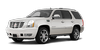
 Cadillac Escalade: Vehicle Features
- Radio(s)
- Satellite Radio
- Portable Audio Devices
- Bluetooth®
- Mobile Apps
- Steering Wheel Controls
- Cruise Control
- Navigation System
- Driver Information Center (DIC)
- Side Blind Zone Alert (SBZA)
- Rear Vision Camera (RVC)
- Ultrasonic Parking Assist
- Power Outlets
- Universal Remote System
- Sunroof
 Transmission
Driver Shift Control (DSC)
The DSC switch is located on the shift lever.
To enable the DSC feature:
1. Move the column shift lever to the M(Manual) position. The Driver Information
Center (DIC) ...
 Radio(s)
This vehicle's radio is part of the navigation system. See Infotainment
. ...
See also:
Preprogrammed Playlists
Preprogrammed playlists that were created using WinAmp™, MusicMatch™, or Real
Jukebox™ software can be accessed; however, they cannot be edited using the radio.
These playlists are treated a ...
Electrical System Overload
The vehicle has fuses and circuit breakers to protect against an electrical system
overload.
When the current electrical load is too heavy, the circuit breaker opens and
closes, protecting the circ ...
Customer Satisfaction Procedure (Mexico)
Did you get the Warranty Extension Plan? This plan is recommended by General
Motors to supplement the warranty included with the new vehicle purchase.
See your dealer for details.
Customer Assis ...


