



 Mercedes-Benz GL-Class: Setting the rear-compartment airvents
Setting the center vents in the rear compartment
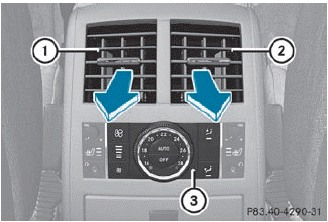
1 Rear-compartment air vent, left
2 Rear-compartment air vent, right
3 Rear control panel
When the climate control panel is switched on/off, the air supply through the rearcompartment air vents is also switched on/ off.
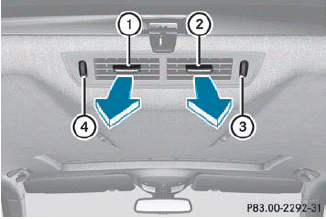
Center vents in the rear compartment (3rd row of seats)
1 Rear-compartment air vent, left
2 Rear-compartment air vent, right
3 Rear-compartment air vent thumbwheel,
right
4 Rear-compartment air vent thumbwheel,
left
► To open/close: turn thumbwheel 3 or 4 up or down.
Setting the B-pillar air vents
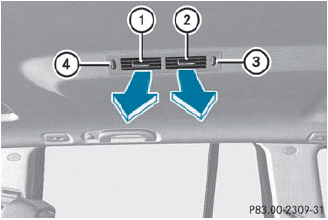
1 B-pillar air vent
2 B-pillar air vent
3 Thumbwheel for B-pillar air vent, rear
4 Thumbwheel for B-pillar air vent, front
► To open/close: turn thumbwheel 3 or 4 up or down.
 Setting the side air vents
► To open/close: turn thumbwheel 3 to the
left or right.
Side window defroster vent 1 is never
completely shut, even if side air vent 2 is
shut. ...

See also:
Driving for Better Fuel Economy
Driving habits can affect fuel mileage. Here are some driving tips to get the
best fuel economy possible.
► Avoid fast starts and accelerate smoothly.
► Brake gradually and avoid abrup ...
Making adjustments in 1 mph (Canada:1 km/h) increments
► Briefly press the cruise control lever
to the
pressure point, up 1 for a higher speed or
down 2 for a lower speed.
The last speed stored is increased or
reduced. ...
Driving on Wet Roads
Rain and wet roads can reduce vehicle traction and affect your ability to stop
and accelerate. Always drive slower in these types of driving conditions and avoid
driving through large puddles and de ...


