



 Cadillac Escalade: Manual Fold and Tumble Feature
Folding and Tumbling the Seat
To fold and tumble the seat:
1. Make sure that there is nothing under, in front of, or on the seat.
Notice: Folding a rear seat with the safety belts still fastened may cause damage to the seat or the safety belts. Always unbuckle the safety belts and return them to their normal stowed position before folding a rear seat.
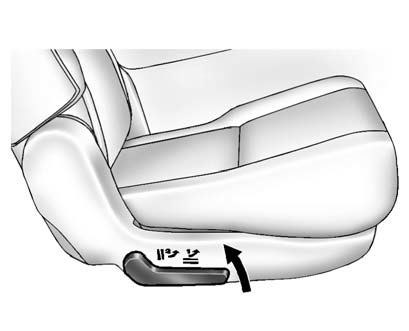
2. Lift the lever, on the outboard side of the seat, to release the seatback.
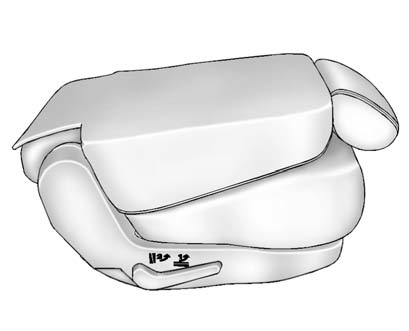
The seatback will fold forward to create a flat load floor.
If the seatback cannot fold flat, try moving the front seat forward and/or put the front seatback in the upright position.
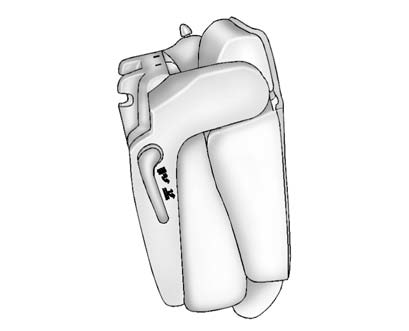
3. Lift the lever again to release the rear of the seat from the floor. The seat will tumble forward.
 Reclining Seatbacks (Bucket Seats Only)
On vehicles with second row bucket seats, the seatbacks can be reclined.
To recline the seatback:
1. Lift the lever on the outboard side of the seat.
2. Move the seatback to the desired position, ...
 Folding and Tumbling the Seat from the Third Row Seat
WARNING
Using the third row seating position while the second row is folded, or folded
and tumbled, could cause injury in a sudden stop or crash. Be sure to return the
seat to the passenger sea ...
See also:
OnStar Overview
If equipped, this vehicle has a comprehensive, in-vehicle system that can connect
to a live Advisor for Emergency, Security, Navigation, Connection, and Diagnostic
Services.
Overview
The OnSta ...
Tray
To open the tray, push the lid1 . To close,
push the lid down.
The USB and/or iPod® connector port is
located inside the tray. (See “Audio system”
in the “4. Monitor, climate, audio, ...
Storing a Flat or Spare Tire and Tools
Storing a jack, a tire, or other equipment in the passenger compartment of the
vehicle could cause injury. In a sudden stop or collision, loose equipment could
strike someone. Store all these in the ...


