



 Cadillac Escalade: Adjustable Throttle and Brake Pedal
The vehicle has adjustable throttle and brake pedals that allow you to change their positions.
The feature will not operate when the vehicle is in R (Reverse) or while using the cruise control.
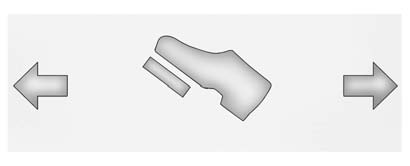
The switch used to adjust the pedals is located on the center console below the climate control system.
Press the right and left arrows to move the pedals either closer or further from your body.
Before you start driving, fully press the brake pedal to confirm the adjustment is right for you. While driving, make only small adjustments.
The vehicle has a memory function which allows the pedal positions to be saved and recalled. See Memory Seats .
 New Vehicle Break-In
Notice: The vehicle does not need an elaborate break-in. But it will perform
better in the long run if you follow these guidelines:
Keep the vehicle speed at 88 km/h (55 mph) or less for the firs ...
 Ignition Positions
The ignition switch has four different positions.
To shift out of P (Park), the ignition must be in ON/RUN or ACC/ ACCESSORY and
the regular brake pedal must be applied.
A (STOPPING THE ENGINE/ L ...
See also:
Fuse box locations
1. Engine compartment fuse box.
2. Passenger compartment fuse box.
To access the passenger compartment fuse box, open the glovebox, pinch the top
of the support stays and lower the glovebox into ...
Tire degradation
Tires degrade over time due to the effects of ultraviolet light, extreme temperatures,
high loads, and environmental conditions. It is recommended that all tires, including
the spare, are replaced ...
Power outlet
CAUTION
► Use power outlet with the engine running
to avoid discharging the vehicle
battery.
► Avoid using power outlet when the air
conditioner, headlights or rear window
de ...


