



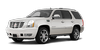
 Cadillac Escalade: Traction Control System (TCS)/StabiliTrak® Light

The TCS/StabiliTrak light comes on briefly when the engine is started.
If the light does not come on or stays on, have the vehicle serviced by the dealer. If the system is working normally, the indicator light turns off.
If the light comes on and stays on while driving, and a message displays in the Driver Information Center (DIC), have the vehicle serviced by the dealer. See Ride Control System Messages for more information.
If the light flashes while driving, this means that StabiliTrak or TCS is assisting in controlling the vehicle. See StabiliTrak® System for more information.
 StabiliTrak® OFF Light
This light comes on briefly while starting the engine.
If it does not, have the vehicle serviced by your dealer. If the system is working
normally, the indicator light then goes off.
Press and re ...
 Tire Pressure Light
For vehicles with the Tire Pressure Monitor System (TPMS), this light comes on
briefly when the engine is started. It provides information about tire pressures
and the TPMS.
When the Light Is On ...
See also:
Tow/Haul Mode
The vehicle has a Tow/Haul Mode. The Tow/Haul Mode adjusts the transmission shift
pattern to reduce shift cycling, providing increased performance, vehicle control,
and transmission cooling when d ...
Folding the rear bench seat back
► Pull release catch 3 upwards.
► Fold backrest 2 backwards until it
engages, making sure not to trap the seat
belts while doing so.
► Fold seat cushion 1 backwards and push
u ...
Sun Visors
Pull the sun visor down to block glare. Detach the sun visor from the center
mount to pivot to the side window, or to extend along the rod, if available. ...


