



 Cadillac Escalade: Lumbar Adjustment
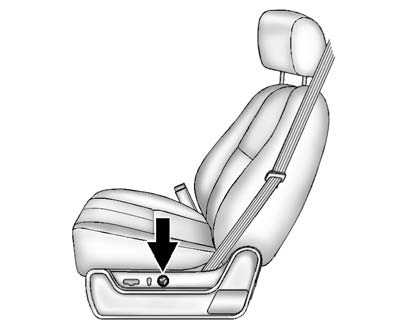
To adjust the lumbar support:
- Press and hold the front or rear of the control to increase or decrease lumbar support.
- Press and hold the top or bottom of the control to raise or lower the height of the lumbar support.
 Power Seat Adjustment
WARNING
You can lose control of the vehicle if you try to adjust a driver seat while
the vehicle is moving. The sudden movement could startle and confuse you, or make
you push a pedal when you ...

See also:
Activating/deactivating climatecontrol
Important information
WARNING
When the climate control system is
deactivated, the outside air supply and
circulation are also deactivated. Only choose
this setting for a short time. O ...
Emission control system warranty
Your INFINITI is covered by the following
emission warranties.
For USA:
► Emission Defects Warranty
► Emissions Performance Warranty
Details of these warranties may be found
with o ...
Folding armrest
The folding armrest may be stowed by moving to the vertical position. Use the
adjuster wheel (arrowed) to set the required height. ...


