



 Cadillac Escalade: Parking Brake
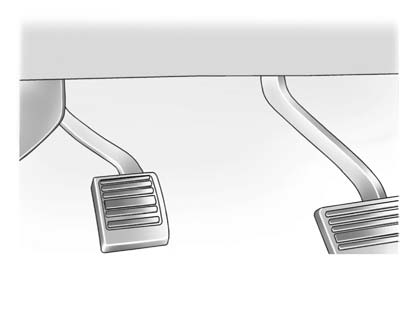
Set the parking brake by holding the regular brake pedal down, then pushing down the parking brake pedal.
If the ignition is on, the brake system warning light will come on. See Brake System Warning Light .
Notice: Driving with the parking brake on can overheat the brake system and cause premature wear or damage to brake system parts. Make sure that the parking brake is fully released and the brake warning light is off before driving.
To release the parking brake, hold the regular brake pedal down, then push down momentarily on the parking brake pedal until you feel the pedal release. Slowly pull your foot up off the parking brake pedal. If the parking brake is not released when you begin to drive, the brake system warning light will flash and a chime will sound warning you that the parking brake is still on. If you are towing a trailer and are parking on a hill, see Driving Characteristics and Towing Tips .
 Braking in Emergencies
ABS allows the driver to steer and brake at the same time. In many emergencies,
steering can help more than even the very best braking. ...
 Brake Assist
This vehicle has a brake assist feature designed to assist the driver in stopping
or decreasing vehicle speed in emergency driving conditions. This feature uses the
stability system hydraulic brake ...
See also:
Local poi search
This selects the points of interest in all categories within 20 miles (32 kilometers)
of the vehicle.
• Touch the All Local POIs button. ...
Driver's knee bag
Driver's knee bag 1 provides additional
protection for the driver against:
• knee injuries
• thigh injuries
• lower leg injuries
Driver's knee bag 1 deploys below the
steering wheel. Dur ...
Seat Adjustment
To adjust the seat:
Move the seat forward or rearward by sliding the control forward or rearward.
Raise or lower the front or rear part of the seat cushion by moving the
front or rear of the ...


