



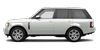
 Range Rover: Dynamic response
The dynamic response system adjusts the suspension to eliminate or reduce body roll while cornering on-road, and to provide greater axle articulation and improved traction when driving off-road.

If a fault is detected, this warning lamp illuminates either Red or Amber, depending on the severity of the fault. A corresponding message will also be displayed.
RED: The message STOP VEHICLE, STOP SAFELY, STOP ENGINE is displayed. A fault that may result in serious damage to the vehicle has been detected. Stop the vehicle as soon as safety permits and switch off the engine. Do not continue driving and seek qualified assistance immediately.
AMBER: The message VEHICLE LEAN WHEN CORNERING is displayed. The detected fault will result in reduced dynamic response performance. The vehicle can still be driven, but reduce speed and seek qualified assistance at the earliest opportunity.
 Remote operation
WARNING
The Smart Key can be operated from inside or outside the vehicle. It is therefore
important that it is kept out of the reach of children at all times.
WARNING
When operating the ...
 Adaptive dynamics
If the general warning lamp illuminates and the message ADAPTIVE DYNAMICS FAULT
is displayed in the message center, some reduction in ride comfort may be experienced.
If the fault persists, cons ...
See also:
Immobilizer
See Radio Frequency Statement for information regarding Part 15
of the Federal Communications Commission (FCC) rules and Industry Canada Standards
RSS-GEN/210/220/310. ...
Exterior rear
1. Fuel-filler door (P.3-23)
— Fuel recommendation (P.9-4)
2. Antenna (P.4-80)
3. Rear combination light (bulb replacement)
(P.8-27)
4. Rear window defroster (P.2-36)
5. Satellite ante ...
Universal Remote System Programming
Vehicles with the Universal Remote System will have these buttons located in
the headliner.
This system provides a way to replace up to three remote control transmitters
used to activate devices ...


