



 Buick Enclave: Door Locks
To lock or unlock a door manually:
► From the inside, use the door lock knob on the window sill.► From the outside, turn the key toward the front or rear of the vehicle, or press the
 or
or
 button on the Remote Keyless Entry
(RKE) transmitter.
button on the Remote Keyless Entry
(RKE) transmitter.
Power Door Locks
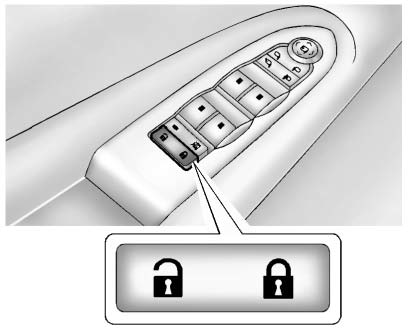
: Press to unlock the doors.
: Press to lock the doors.
See Power Door Locks .
 Remote Vehicle Start
Starting the Vehicle
With this feature the engine can be started from outside of the vehicle.
1. Aim the RKE transmitter at the vehicle.
2. Press and release
3. Immediately after completing Step ...
 Liftgate
To open the liftgate the vehicle must be in P (Park). Press the touch pad under
the liftgate handle. To close the liftgate, use the pull cup or pull strap as an
aid.
Power Liftgate
On vehicles w ...
See also:
Folding the exterior mirrors in or outelectrically
► Make sure that the SmartKey is in
position
1 or 2 in the ignition lock.
► Briefly press button 1.
Both exterior mirrors fold in or out.
Make sure that the exterior mirrors are ...
Older Children
Older children who have outgrown booster seats should wear the vehicle safety
belts.
The manufacturer's instructions that come with the booster seat state the weight
and height limitations fo ...
Cup holder in the third row of seats
The cup holders are located in the side trim
on the left and right-hand sides.
1 Cup holders ...


