



 Cadillac Escalade: Antilock Brake System (ABS)
This vehicle has the Antilock Brake System (ABS), an advanced electronic braking system that helps prevent a braking skid.
When the engine is started and the vehicle begins to drive away, ABS checks itself. A momentary motor or clicking noise might be heard while this test is going on, and it might even be noticed that the brake pedal moves a little. This is normal.
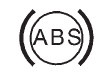
If there is a problem with ABS, this warning light stays on. See Antilock Brake System (ABS) Warning Light .
If driving safely on a wet road and it becomes necessary to slam on the brakes and continue braking to avoid a sudden obstacle, a computer senses that the wheels are slowing down. If one of the wheels is about to stop rolling, the computer will separately work the brakes at each wheel.
ABS can change the brake pressure to each wheel, as required, faster than any driver could. This can help the driver steer around the obstacle while braking hard.
As the brakes are applied, the computer keeps receiving updates on wheel speed and controls braking pressure accordingly.
Remember: ABS does not change the time needed to get a foot up to the brake pedal or always decrease stopping distance. If you get too close to the vehicle in front of you, there will not be enough time to apply the brakes if that vehicle suddenly slows or stops. Always leave enough room up ahead to stop, even with ABS.
 Brakes
...
 Using ABS
Do not pump the brakes. Just hold the brake pedal down firmly and let ABS work.
You might hear the ABS pump or motor operating and feel the brake pedal pulsate,
but this is normal. ...
See also:
Power Windows
WARNING
Leaving children in a vehicle with the keys is dangerous for many reasons. Children
or others could be badly injured or even killed.
They could operate the power windows or other controls ...
DVD Menu Options
Options: Press to view the menu option screen buttons. Menu options are available
when they are highlighted. Some menu options are only available when the DVD is
not playing.
Cursor: Press to acces ...
Top View
...


