



 Buick Enclave: Windows
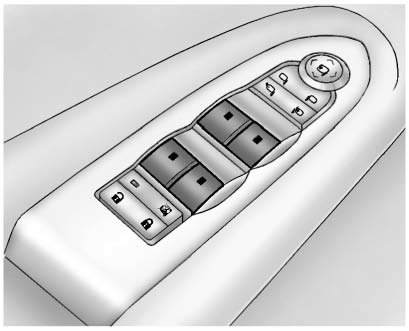
Press the switch to lower the window. Pull the switch up to raise it.
For more information, see Power Windows .
 Liftgate
To open the liftgate the vehicle must be in P (Park). Press the touch pad under
the liftgate handle. To close the liftgate, use the pull cup or pull strap as an
aid.
Power Liftgate
On vehicles w ...
 Seat Adjustment
Power Seat
A. Seat Adjustment Control B. Reclining Seatback Control C. Lumbar Adjustment
Control . Move the seat forward or rearward by moving the control (A) forward or
rearward.
► Rais ...
See also:
Rear Seats
A. Seat Adjustment Handle
B. Reclining Seatback Strap
C. Sliding Seat Lever
Entering and Exiting the Third Row
WARNING
Using the third row seating position while the second row is folded, or fo ...
Capacities and Specifications
The following approximate capacities are given in metric and English conversions.
See Recommended Fluids and Lubricants for more information.
...
Underinflated tires
WARNING
Follow recommended tire inflation pressures.
Do not underinflate tires. Underinflated tires
wear excessively and/or unevenly, adversely
affect handling and fuel economy, and ar ...


