



 Cadillac Escalade: Video Display Screens
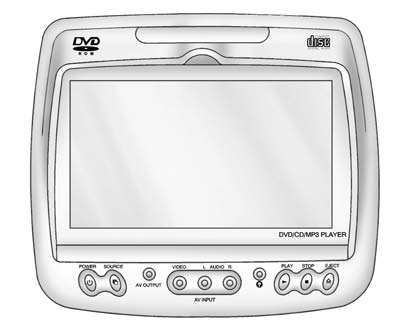
The video display screens are located on the back of each head restraint.
Notice: Avoid directly touching the video screen, as damage can occur. See “Cleaning the Video Screens” later in this section for more information.
 Rear Seat Entertainment (RSE) System (Headrest DVD)
Vehicles with an RSE system include two head restraint video display screens
with integrated DVD players, auxiliary inputs, two wireless headphones, and a remote
control. This system works independe ...
 Overview RSE Base System
Some DVDs do not allow fast forwarding or skipping of the copyright information
or previews. If the DVD does not begin playing at the main title, refer to the on-screen
instructions.
The DVD player ...
See also:
Total Weight on the Vehicle's Tires
Be sure the vehicle's tires are inflated to the inflation pressures found on
the Certification label on the driver door or see Vehicle Load Limits
for more information. Make sure not ...
Larger children
Children who are too large for child
restraints should be seated and restrained
by the seat belts which are provided. The
seat belt may not fit properly if the child is
less than 4 ft 9 in (14 ...
Interior Care
To prevent dirt particle abrasions, regularly clean the vehicle's interior.
Immediately remove any soils. Note that newspapers or dark garments that can
transfer color to home furnishings can a ...


