



 Cadillac Escalade: Vehicle Identification Number (VIN)
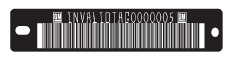
 Service Parts Identification Label
This label, on the inside of the glove box, has the following information:
Vehicle Identification Number (VIN).
Model designation.
Paint information.
Production options and special equipment ...
See also:
Tire pressure label
The recommended tire pressures are listed on a label located in the driver’s
door opening. These pressures provide optimum ride and handling characteristics
for all normal operating conditions ...
Important safety notes
WARNING
For safety reasons, switch off the windshield
wipers and remove the key from the ignition
lock before changing the wiper blades
(vehicles with KEYLESS-GO: make sure that
the o ...
Intelligent Brake Assist (IBA) system (if so equipped)
The Intelligent Brake Assist (IBA) system
warns the driver by a warning light and
chime when there is a risk of a collision
with the vehicle ahead in the traveling lane
and the driver must tak ...

Service Parts Identification Label
This label, on the inside of the glove box, has the following information:
Vehicle Identification Number (VIN).
Model designation.
Paint information.
Production options and special equipment ...
See also:
Tire pressure label
The recommended tire pressures are listed on a label located in the driver’s
door opening. These pressures provide optimum ride and handling characteristics
for all normal operating conditions ...
Important safety notes
WARNING
For safety reasons, switch off the windshield
wipers and remove the key from the ignition
lock before changing the wiper blades
(vehicles with KEYLESS-GO: make sure that
the o ...
Intelligent Brake Assist (IBA) system (if so equipped)
The Intelligent Brake Assist (IBA) system
warns the driver by a warning light and
chime when there is a risk of a collision
with the vehicle ahead in the traveling lane
and the driver must tak ...


