



 Cadillac Escalade: Lumbar Adjustment
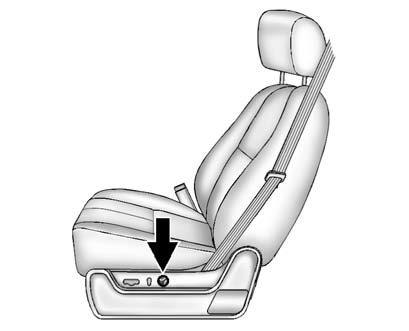
To adjust the lumbar support:
- Press and hold the front or rear of the control to increase or decrease lumbar support.
- Press and hold the top or bottom of the control to raise or lower the height of the lumbar support.
 Power Seat Adjustment
WARNING
You can lose control of the vehicle if you try to adjust a driver seat while
the vehicle is moving. The sudden movement could startle and confuse you, or make
you push a pedal when you ...

See also:
Important safety notes
A license agreement must exist in order
to activate the mbrace service. Ensure that
your system is activated and ready for use,
and press the MB Info call button
to
register. If any of the st ...
When traveling or registering your vehicle inanother country
If you plan to travel in another country,
you should first find out if the fuel
available is suitable for your vehicle’s
engine.
Using fuel with too low an octane rating
may cause engine d ...
Repair Facility
GM also recommends that you choose a collision repair facility that meets your
needs before you ever need collision repairs. Your dealer may have a collision repair
center with GM-trained technician ...


