



 Infiniti QX: Cup holders
 CAUTION
► Avoid abrupt starting and braking when
the cup holder is being used to prevent
spilling the drink. If the liquid is hot, it
can scald you or your passenger.
► Use only soft cups in the cup holder.
Hard objects can injure you in an
accident.
► Do not recline the rear seatback when
you use the cup holders on the rear
armrest. Doing so may cause the beverages
to spill over, and if they are hot,
they may scald the passengers.
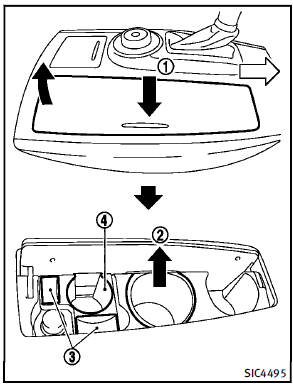
Front
To open the cup holder, push the lid 1 . To close, lower the cup holder lid and push it down lightly. Pull up the inside tray2 and remove it for a larger container or cleaning. The cap of the bottle can be placed on3 . A small beverage can be placed in the cup holder 4 . The cup holder is not designed to store personal items.
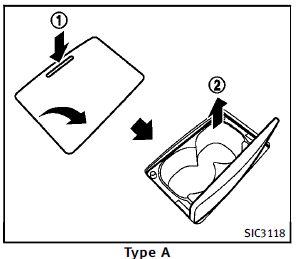
2nd row seat
Type A:
To open the cup holder, push the lid 1 . The flap will be folded down when inserting a large container. To close, lower the cup holder lid and push it down lightly. To clean the front cup holder, pull up the inside tray 2 and remove it. The cup holder is not designed to store personal items.
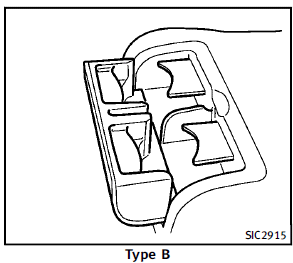
Type B:
To open the cup holder, pull the lid.
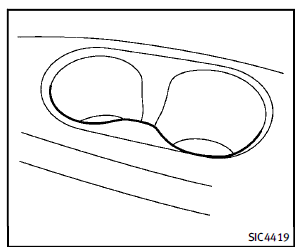
3rd row seat
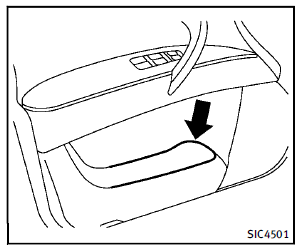
Soft bottle holder
CAUTION
► Do not use bottle holder for any other
objects that could be thrown about in
the vehicle and possibly injure people
during sudden braking or an accident.
► Do not use bottle holder for open liquid
containers.
 Storage
...
 Sunglasses holder
WARNING
Keep the sunglasses holder closed while
driving to prevent an accident.
To open the sunglasses holder, push 1 .
CAUTION
► Do not use for anything other than
glasses.
...
See also:
Speaker Covers
Vacuum around a speaker cover gently, so that the speaker will not be damaged.
Clean spots with just water and mild soap. ...
Mechanical key
General notes
If the vehicle can no longer be unlocked with
the SmartKey, use the mechanical key.
If you use the mechanical key to unlock and
open the driver's door, the anti-theft alarm
system ...
DVD Menu Options
Options: Press to view the menu option screen buttons. Menu options are available
when they are highlighted. Some menu options are only available when the DVD is
not playing.
Cursor: Press to acces ...


