



 Cadillac Escalade: Adjustable Throttle and Brake Pedal
The vehicle has adjustable throttle and brake pedals that allow you to change their positions.
The feature will not operate when the vehicle is in R (Reverse) or while using the cruise control.
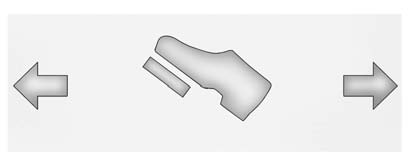
The switch used to adjust the pedals is located on the center console below the climate control system.
Press the right and left arrows to move the pedals either closer or further from your body.
Before you start driving, fully press the brake pedal to confirm the adjustment is right for you. While driving, make only small adjustments.
The vehicle has a memory function which allows the pedal positions to be saved and recalled. See Memory Seats .
 New Vehicle Break-In
Notice: The vehicle does not need an elaborate break-in. But it will perform
better in the long run if you follow these guidelines:
Keep the vehicle speed at 88 km/h (55 mph) or less for the firs ...
 Ignition Positions
The ignition switch has four different positions.
To shift out of P (Park), the ignition must be in ON/RUN or ACC/ ACCESSORY and
the regular brake pedal must be applied.
A (STOPPING THE ENGINE/ L ...
See also:
Electric parking brake (EPB)
WARNING
Do not rely on the parking brake to hold the vehicle stationary if the brake
warning lamp is illuminated or the EPB warning lamp is flashing. Seek qualified
assistance urgently.
...
Chrome parts
Clean chrome parts regularly with a nonabrasive
chrome polish to maintain the
finish. ...
Towing a trailer
WARNING
Overloading or improper loading of a trailer
and its cargo can adversely affect vehicle
handling, braking and performance and may
lead to accidents.
CAUTION
► Do not tow a ...


